
How to effectively use artificial intelligence: A beginner’s guide
While it might sound intimidating, using AI effectively doesn’t require a technical background or advanced skills. With the right mindset and tools, anyone can harness the power of AI.
AI Joe (Joe Finkelstein) has been a technology educator in Bibb County Schools for more than 20 years.
Artificial intelligence (AI) is becoming a bigger part of our daily lives, showing up in everything from virtual assistants and chatbots to personalized recommendations on shopping and streaming platforms. While it might sound intimidating, using AI effectively doesn’t require a technical background or advanced skills. With the right mindset and tools, anyone can harness the power of AI to enhance productivity, solve problems, and even explore creative projects. This guide will help you take your first steps toward becoming an effective AI user.
Why learn AI basics?
AI isn’t just for tech enthusiasts or professionals. It’s a versatile tool that can simplify tasks, spark creativity and make life more efficient. For example, tools like ChatGPT can help you draft emails, brainstorm ideas or summarize articles. Image-generation platforms like Canva’s AI features allow even non-designers to create professional-quality visuals. And voice assistants such as Siri and Alexa are handy for managing daily tasks.
Learning to use AI effectively empowers you to make the most of these tools. With a basic understanding of how AI works and some practical tips, you can approach AI with confidence and creativity.
Core concepts for beginners
1. What is AI?
At its core, AI refers to systems designed to perform tasks that typically require human intelligence, such as understanding language, recognizing images, or making decisions. While the technology behind AI is complex, the tools available to everyday users are designed to be accessible and user-friendly.
2. Understanding prompts
A key to effectively using AI, especially tools like ChatGPT, is crafting clear and specific prompts. A prompt is essentially your input—a question, instruction or request that tells the AI what you want. The quality of the prompt often determines the quality of the output. For instance:
— Vague prompt: “Tell me something.”
— Specific prompt: “Write a fun, 200-word story for children about a curious cat exploring a magical garden.”
The more specific and detailed your prompt, the better the AI can deliver meaningful results. Think of it as giving directions: the clearer your guidance, the easier it is for the tool to meet your expectations.
Essential AI tools for beginners
1. Large Language Models (LLMs)
LLMs like ChatGPT, Google’s Gemini, and Microsoft’s Copilot are incredibly versatile. They can help with tasks like:
— Drafting emails, essays, or social media posts.
— Summarizing long articles or documents.
— Brainstorming ideas for projects or events.
To start, think of something you need help with, such as planning a weekend getaway or creating a to-do list and ask the AI to assist. For example, you might type, “Plan a two-day itinerary for a family trip to Savannah, Georgia.”
2. Image generation tools
AI-powered platforms like DALL-E, found with the paid version of ChatGPT and Canva allow users to create visuals without design expertise. Whether you need a graphic for a presentation, a social media post, or a personal project, these tools can make the process quick and enjoyable.
For instance, Canva’s AI features let you generate designs by describing what you need, such as “a modern flyer for a bake sale.” Drawbert.AI allows you to import a photo of a person and select from several different features in reimagining that picture.
3. Audio tools
Voice assistants like Siri and Alexa are great for hands-free productivity, such as setting reminders or playing music. For more advanced uses, tools like Otter.ai can transcribe meetings or interviews, and Suno AI can help with creative audio projects like song creation.
4. Everyday AI helpers
Many apps integrate AI to make life easier. Grammarly, for example, checks your writing for grammar and style issues, while Notion AI helps organize tasks and generate content. Google Lens allows you to search for information based on images, like identifying a plant or translating a sign in another language.
Tips for effective use
1. Start small
Begin with one tool or feature and explore its capabilities. For instance, if you’re new to ChatGPT, start by asking simple questions or requesting assistance with a single task, such as drafting a thank-you note. As you become more comfortable, experiment with more complex requests.
2. Experiment and learn
AI tools often have multiple features that can be discovered through experimentation. Don’t hesitate to try different prompts or settings to see what works best. Many platforms also offer tutorials, FAQs, and help sections to guide new
users.
3. Think critically
While AI is powerful, it’s not perfect. Outputs may sometimes be inaccurate or misleading, so it’s important to verify information, especially for critical tasks. Use AI as a starting point or assistant rather than a sole authority.
4. Stay curious
AI is constantly evolving with new tools and updates appearing regularly. Stay informed by exploring free resources such as YouTube tutorials, online forums, or local workshops. For instance, libraries and community centers often host beginner-friendly AI classes.
5. Overcoming common challenges
If you’re unsure where to begin, start with tools that align with your interests or daily needs. Love writing? Try Grammarly or ChatGPT. Need help organizing your schedule? Explore AI-powered calendar apps. And if a tool seems overwhelming, look for beginner-friendly tutorials or ask someone more experienced for guidance.
Conclusion: Empowering the beginner
You don’t need to be a tech expert to benefit from AI. By starting small, experimenting with tools and maintaining a curious mindset, you can make AI a valuable part of your life. Whether you’re using it to save time, explore new hobbies or enhance your productivity, the possibilities are endless.
Take that first step and give an AI tool a try today. You might be surprised at how much it can do for you—and how much fun you’ll have along the way.
If you have questions or comments, you can email AIJoe.superhero@gmail.com.
Before you go...
Thanks for reading The Macon Melody. We hope this article added to your day.
We are a nonprofit, local newsroom that connects you to the whole story of Macon-Bibb County. We live, work and play here. Our reporting illuminates and celebrates the people and events that make Middle Georgia unique.
If you appreciate what we do, please join the readers like you who help make our solution-focused journalism possible. Thank you
Author

Related Articles
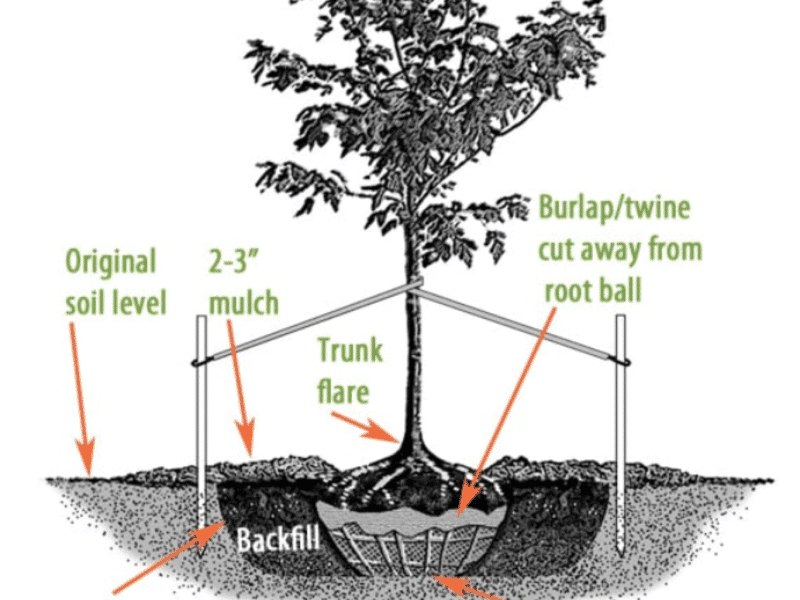
Now is the prime time for planting
Here’s some good planting practices from the volunteer master gardeners at the Bibb County Cooperative Extension.

A look ahead at Macon’s arts and entertainment scene
Melody columnist Michael W. Pannell reflects on some art and entertainment highlights of 2025 and looks forward at what’s to come in 2026.

Oliver’s Corner Bistro isn’t just a restaurant — it’s a vibe
In his latest food review, Billy Hennessey explains what makes this downtown Macon restaurant a local staple.